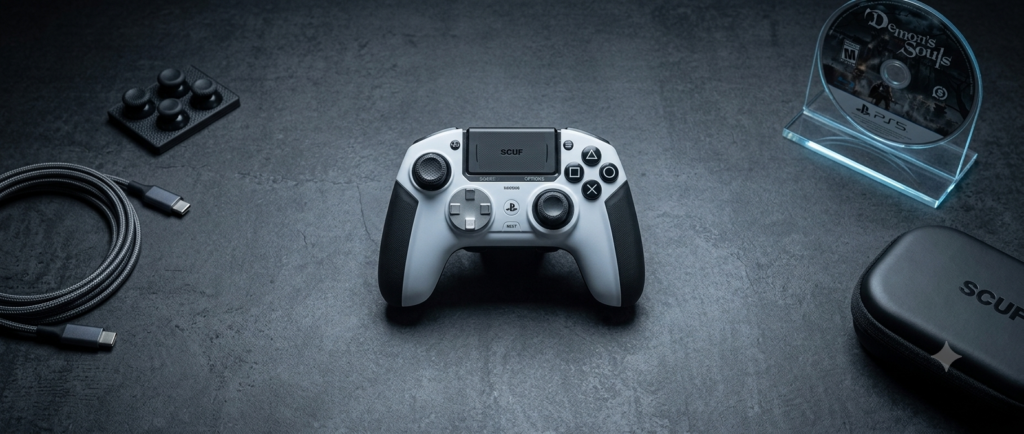
Stick drift is a common problem in a PlayStation 5 controller where the joystick starts moving on its own, even when you are not touching it. This can make your game feel out of control because your character or camera may drift in one direction without any input from you. It usually happens due to dust, wear, or long-term use of the controller.
Have you ever moved your stick but your game still moves by itself? If yes, then you have experienced stick drift. It is a very common issue, and many gamers face it after regular use.
What Is Stick Drift?
Stick drift is a problem where your controller joystick moves by itself without any touch. It happens when the internal sensors of the stick get weak or dirty. Because of this, your game does not respond correctly to your real actions. You may feel like your control is slightly “off” during gameplay. This issue is common in a PlayStation 5 controller after long use.
Signs you may notice:
- Your character moves without touching the stick
- Movement feels slow or unwanted
- Aiming becomes hard in shooting games
- Camera keeps drifting on its own
Example:
You are standing still in a game, but your character slowly starts walking forward even though you are not touching the joystick.
Why Does Stick Drift Happen?
- Dust enters the analog stick and blocks smooth movement
- Regular use slowly wears out the internal sensors
- Dirt and oil from fingers build up around the joystick
- Long gaming sessions increase mechanical stress on the stick
- Tiny sensor misreads happen due to normal aging of parts
- Small particles inside the mechanism affect precise movement
- Moisture or sweat can reduce smooth input response
Tip: Clean your controller regularly and handle it gently to reduce stick drift in a PlayStation 5 controller.
Quick Fixes
These are simple first steps you should try before anything else. They often fix small bugs or connection issues in a PlayStation 5 controller.
Restart Your PS5
- Turn off your console completely
- Wait a few seconds
- Turn it on again
- This clears small system glitches
Reset the Controller
- Find the reset button on the back
- Press it with a pin for a few seconds
- Reconnect the controller to the console
- This refreshes controller settings
Reconnect with USB Cable
- Plug controller using a USB cable
- Disconnect Bluetooth connection
- Re-pair the controller
- This fixes weak wireless signals
Check for Updates
- Open system settings
- Install PS5 software updates
- Update controller firmware if available
- This fixes known bugs and improves performance
Cleaning the Controller (Most Important )
Cleaning is one of the best ways to fix stick drift in a PlayStation 5 controller. Dust and dirt are the main reasons behind wrong stick movement.
Basic Cleaning
- Use a soft, clean cloth
- Gently wipe around the joystick area
- Move the joystick in circles while cleaning
- Remove visible dust and dirt from the surface
Deep Cleaning
- Use compressed air to remove hidden dust
- Spray lightly around the stick edges
- Move the joystick in all directions while cleaning
- Focus on corners where dirt builds up
Example:
Dust around the stick can act like “sand” inside the controller. This small dirt can block smooth movement and cause the joystick to move in the wrong direction during gameplay.
Game Settings Fix (Dead Zone Adjustment)
- Increase the “dead zone” setting inside your game options to reduce small unwanted joystick movement that happens during gameplay
- This helps control light stick drift by ignoring tiny accidental inputs from the joystick
- It is a helpful short-term solution but it does not fix the real hardware problem in a PlayStation 5 controller
Advanced Fixes
- Carefully clean the internal parts of the controller to remove hidden dust that basic cleaning cannot reach
- Replace the analog stick module if it is worn out or damaged due to long-term use
- Take help from a professional repair service to avoid damaging the controller during fixing
- These steps are used when normal cleaning and software fixes do not work anymore
Warning Tip:
Do not open the controller if you are not experienced because it can damage internal parts and make the problem worse.
When to Replace the Controller
- Stick drift happens constantly even after trying all fixes and cleaning methods
- The joystick or buttons feel loose, broken, or unresponsive during gameplay
- The controller makes gaming difficult and affects normal control in most games
- Repair cost becomes higher than buying a new controller
Prevention Tips
- Always keep your hands clean and dry before using the controller to avoid dirt buildup
- Store your controller in a clean, dust-free place when not in use
- Avoid eating or drinking while gaming to prevent sticky dirt inside buttons and sticks
- Clean the controller regularly to maintain smooth performance over time
- Use the joystick gently to reduce long-term wear and tear
Conclusion
Stick drift is a very common issue in a PlayStation 5 controller, but the good news is it is usually fixable. You should always start with simple solutions like restarting the console, resetting the controller, and checking updates. If the problem continues, then move step by step toward cleaning the controller and using advanced fixes. In many cases, proper cleaning and careful use can bring the controller back to normal performance.
To avoid this problem in the future, always take care of your controller, keep it clean, and use it gently during gaming. Small habits can make a big difference in long-term performance.
Final question:
Have you ever tried cleaning your controller before, or is this your first time dealing with stick drift?
FAQS
Can stick drift be fixed permanently?
Yes, in some cases it can be fixed permanently, especially if it is caused by dust or small calibration issues. But if the internal parts are worn out, then repair or replacement is needed in a PlayStation 5 controller.
Is cleaning safe for PS5 controller?
Yes, cleaning is safe if you do it gently and carefully. You should avoid using too much liquid because it can enter inside and damage the controller.
Does heavy gaming cause stick drift?
Yes, long hours of gaming can wear out the joystick over time. This increases the chance of stick drift because the internal parts get weaker.
Can software updates fix stick drift?
Software updates can fix small bugs or calibration issues, but they cannot repair physical damage or worn-out hardware parts.
Should I repair or buy a new controller?
Repair is better for small issues, but if the stick drift is severe and keeps coming back, then replacing the controller is the better option.
How do I know my controller has stick drift?
If your character or camera moves on its own without touching the stick, then your controller is showing signs of stick drift.
Can dust alone cause stick drift?
Yes, dust buildup inside the analog stick is one of the most common reasons for stick drift and can often be fixed with proper cleaning.
How often should I clean my controller?
Light cleaning every few weeks is good, especially if you use your controller regularly, to prevent dust and dirt buildup.