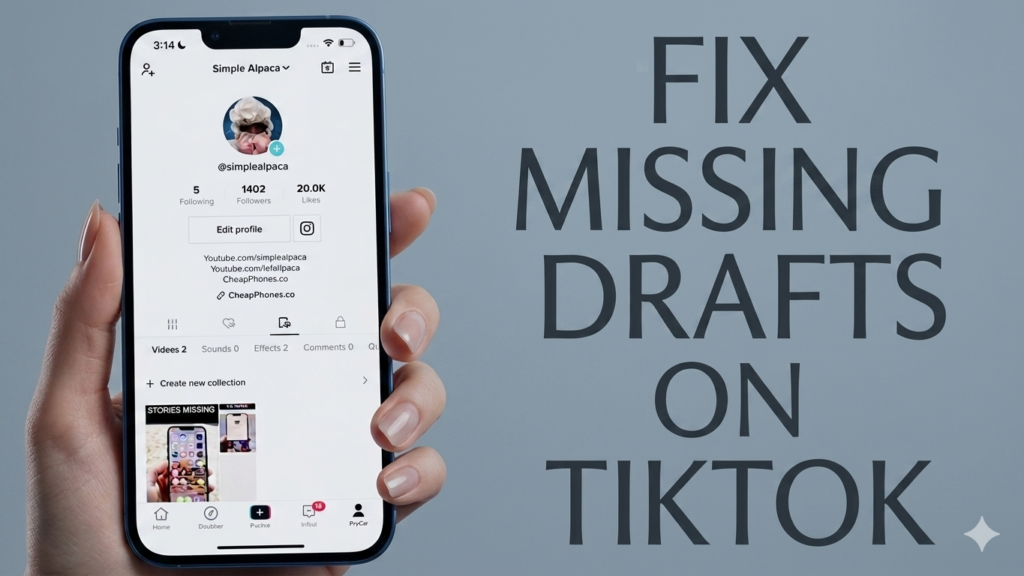
TikTok drafts help users save videos before posting them. Many creators use them to edit content, plan uploads, and work on videos over time.
It can be frustrating when your drafts suddenly disappear. This issue can happen because of app updates, account mix-ups, storage problems, or other technical issues.
The good news is that there are several ways to check for missing drafts and fix the problem. In this article, you will learn why TikTok drafts disappear and what you can do to recover or protect them.
What Are TikTok Drafts?
TikTok drafts are videos that you save before posting. They help you edit content, add effects, and finish your video later. Many creators use drafts to plan and organize their posts.
TikTok saves drafts on your device, not on its servers. This means drafts stay on the phone where they were created. If you uninstall TikTok or switch devices, your drafts may disappear.
Where Are TikTok Drafts Stored?
- Drafts are saved inside the TikTok app on your phone.
- They are not stored on TikTok’s servers.
- They do not automatically move to a new device.
- Uninstalling TikTok can delete all drafts.
- Clearing app data may remove drafts permanently.
- Changing phones can make drafts unavailable.
Why Did My TikTok Drafts Disappear?
You Reinstalled TikTok
- TikTok drafts are stored inside the app.
- Uninstalling the app removes local data.
- Drafts are usually deleted during reinstallation.
- Saved videos in drafts may not be recoverable.
You Cleared App Data
- App data stores drafts and account settings.
- Clearing app data removes this information.
- This is different from clearing cache files.
- Drafts may disappear after the process.
You Logged Into the Wrong Account
- You may have multiple TikTok accounts.
- Drafts only appear in the account that created them.
- Logging into another account can make drafts seem missing.
- Check all your accounts before troubleshooting further.
App Update Caused a Problem
- Some updates can create temporary bugs.
- Drafts may not display correctly after an update.
- The issue may disappear after restarting the app.
- A later update often fixes these problems.
Device Storage Issues
- Low storage can affect app performance.
- TikTok may struggle to load saved content.
- Drafts may not appear properly.
- Freeing storage can help fix the issue.
TikTok Glitches and Errors
- Apps can sometimes experience technical problems.
- Temporary glitches may hide drafts.
- Server or app issues can affect performance.
- Restarting TikTok often resolves minor errors.
How to Fix TikTok Drafts Disappeared
1. Check Your TikTok Account
Sometimes your drafts are not deleted. They are just in another account. TikTok links drafts to the exact account where you created them. If you log into a different account, your drafts will not appear even on the same phone. This confuses many users, especially those who use multiple accounts.
Why Account Check Matters
- Drafts are saved inside one account only
- Switching accounts hides saved drafts
- Same phone can show different draft lists
What You Should Do
- Check your username on profile page
- Switch to all saved accounts one by one
- Log out and log in again to refresh data
2. Restart the TikTok App
Restarting TikTok is a quick and simple fix. Many times, the app gets small errors while running. These errors stop drafts from loading properly. A restart clears these temporary problems and reloads the app fresh.
Why Restart Helps
- Fixes hidden app glitches
- Refreshes broken loading
- Clears temporary memory issues
What You Should Do
- Close TikTok completely from recent apps
- Wait for a few seconds
- Open TikTok again and check drafts
3. Restart Your Phone
Your phone system also affects TikTok performance. If your phone runs for too long, it can collect small errors in memory. These errors can stop apps from working properly. Restarting your phone clears all temporary system problems.
Why It Works
- Removes system bugs
- Refreshes phone memory
- Helps apps run smoothly again
What You Should Do
- Press and hold power button
- Tap restart or power off
- Turn your phone back on after a short wait
4. Check Your Device Gallery
Sometimes your TikTok video is not lost. It may be saved in your phone storage without you noticing. Many phones automatically save a copy of edited or recorded videos. So even if drafts disappear, your content may still exist.
Where to Look
- Recent photos or videos folder
- Camera or video folder
- TikTok or downloads folder
What You Should Do
- Open your gallery app
- Scroll through recent videos
- Search for TikTok saved files carefully
5. Check TikTok Draft Folder
Your drafts may still be inside TikTok. Sometimes they do not show because of a loading issue or app glitch. In this case, the drafts are not deleted, just not visible on screen.
Why This Happens
- App loading error
- Temporary glitch
- Slow internet or app lag
What You Should Do
- Open TikTok profile page
- Tap on “Drafts” section
- Pull down to refresh and reload content
6. Update TikTok
Old versions of TikTok can create bugs. These bugs can affect how drafts are saved or displayed. Updating the app fixes known issues and improves performance.
Why Updating Helps
- Fixes app bugs
- Improves stability
- Restores missing features
What You Should Do
- Open Play Store or App Store
- Search for TikTok
- Tap update and restart app
7. Free Up Storage Space
Low storage is a hidden reason behind many app problems. When your phone is full, TikTok may not work properly. It may fail to load drafts or even stop saving them correctly.
Signs of Low Storage
- Phone becomes slow
- Apps crash or freeze
- Videos fail to load properly
What You Should Do
- Delete unused apps
- Remove large videos or files
- Clear junk and cache files
8. Check TikTok Server Issues
Sometimes the issue is not on your phone. TikTok servers may face temporary problems. During this time, drafts may not load or may disappear from view.
What Happens
- Drafts do not appear
- App may lag or freeze
- Temporary syncing issue
What You Should Do
- Check internet connection
- Switch Wi-Fi or mobile data
- Wait and try again after some time
9. Restore From Backup
If you had backup turned on, you may recover your data. This depends on your phone settings and whether backups were created before the issue.
Backup Options
- Google Drive for Android
- iCloud for iPhone
What You Should Do
- Check backup settings in phone
- Restore previous backup if available
- Reinstall TikTok after restore
10. Contact TikTok Support
If nothing works, TikTok support is the final option. They can check your account and find technical issues that you cannot fix yourself.
When to Contact Support
- All methods fail
- Drafts still missing
- App keeps showing errors
What You Should Do
- Open TikTok settings menu
- Tap “Report a problem”
- Explain your issue in simple words
Can You Recover TikTok Drafts After Deleting the App?
The Short Answer
- Usually no
- Drafts are deleted when the app is removed
- Recovery is rarely possible without backup
Why Recovery Is Difficult
- TikTok drafts are stored locally on your phone
- They are not saved on TikTok servers
- Deleting the app removes local draft files
- Without backup, data cannot be restored
Possible Exceptions
- Cloud backup may restore some data
- Phone backup (Google Drive or iCloud) can help
- Old device backup may contain saved files
- Recovery depends on backup being enabled before
How to Prevent TikTok Drafts From Disappearing Again
Save Videos to Your Device
- Always export drafts to gallery
- Keep a copy outside TikTok
- Store videos before editing further
Avoid Uninstalling TikTok
- Drafts are deleted when app is removed
- Think before uninstalling the app
- Reinstalling means losing saved drafts
Back Up Your Phone Regularly
- Turn on automatic backup
- Save photos, videos, and app data
- Helps recover lost content easily
Keep TikTok Updated
- Update app from Play Store or App Store
- Fixes bugs and glitches
- Reduces chances of draft errors
Check Storage Frequently
- Keep enough free space on phone
- Delete unnecessary files
- Prevent app crashes and missing drafts
Common Mistakes to Avoid
- Clearing app data without checking if drafts are saved or backed up
- Switching phones without saving or backing up TikTok content
- Ignoring storage warnings that show your phone is full
- Assuming TikTok drafts are stored online in your account
Tips for TikTok Creators
- Save important videos to your phone before editing or posting
- Keep extra copies of your content in your gallery or storage
- Use cloud storage like Google Drive or iCloud for backup
- Review your drafts regularly to avoid losing important work
- Keep TikTok updated to reduce bugs and improve performance
Conclusion
TikTok drafts usually disappear due to simple issues like wrong account, app bugs, low storage, or uninstalling the app. Remember, drafts are saved on your device, not online, so they can be lost easily.
Try the fixes one by one like checking your account, restarting the app, and updating TikTok. Most problems get solved this way.
To avoid future issues, always save videos to your gallery, keep backups, and do not uninstall the app without saving your drafts.
FAQS
Why did my TikTok drafts disappear overnight?
This can happen due to app bugs, storage issues, or wrong account login. Sometimes drafts are just not loading properly.
Can I recover TikTok drafts after deleting the app?
Usually no. Drafts are saved on your device, so uninstalling the app removes them.
Are TikTok drafts stored on TikTok servers?
No. They are only stored on your phone, not on TikTok servers.
Does clearing cache delete TikTok drafts?
No. Clearing cache does not delete drafts, but clearing app data can.
Can an app update remove drafts?
Yes, updates can sometimes cause glitches that hide or remove drafts temporarily.
Why can’t I see my drafts after logging in?
You may be in the wrong account. Drafts only show in the account where they were created.
Do TikTok drafts transfer to a new phone?
No. Drafts stay on the original device and do not transfer.
How can I protect my TikTok drafts in the future?
Save videos to your gallery, use backups, and avoid uninstalling TikTok without saving drafts.