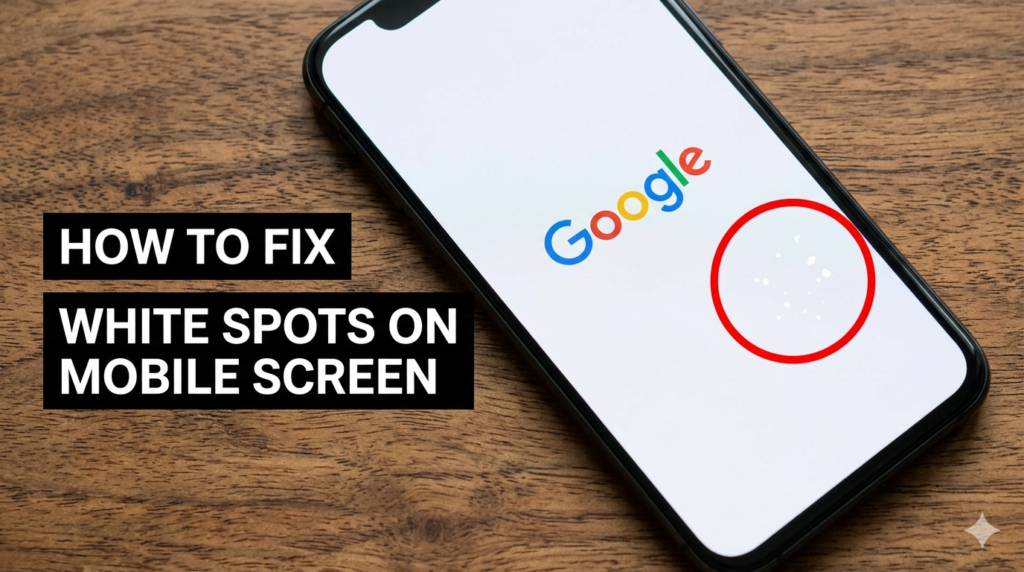
White spots on a phone screen can look like bright dots or cloudy patches that do not go away. This problem can happen on both Android phones and Apple Inc. iPhones.
In most cases, white spots appear because of screen pressure, display damage, heat, moisture, or loose parts inside the phone. If you ignore the issue, the spots may become bigger and affect screen quality.
The good news is that some white spots can be fixed with simple methods at home. In this article, you will learn the common causes and easy ways to fix white spots on your phone screen.
Common Causes of White Spots on Phone Screen
Pressure Damage
Pressure damage is one of the most common reasons behind white spots on a phone screen. Phone screens are sensitive, and too much pressure can damage the display layers inside. This often creates bright white spots or cloudy areas on the screen. The problem may appear slowly, even if the phone has no visible cracks.
How Pressure Creates White Spots
- Sitting on the phone
- Keeping the phone in a tight pocket
- Placing heavy objects on the screen
- Pressing the screen too hard
Signs of Pressure Damage
- White spot appears after pressure
- No cracks but bright area is visible
- Spot stays in the same place
- Screen still works normally in most cases
Screen or LCD Damage
Screen or LCD damage is another common reason for white spots on a phone screen. The LCD is the part inside the phone that shows images and colors. When the layers inside the screen get damaged, white spots may appear. These spots can become larger over time if the damage gets worse.
What Is LCD Damage?
- LCD is the display layer inside the phone screen
- Damage inside the screen can create white spots
- The screen may still work, but display quality becomes poor
Common Reasons
- Phone drops
- Water damage
- Hard impact
- Screen pressure
Loose Internal Components
Sometimes white spots appear because small parts inside the phone become loose. This can happen after a drop or sudden impact. Loose display or backlight parts may put pressure on the screen from inside.
Loose Backlight or Display Parts
- Internal screen parts may move out of place
- Pressure inside the phone can create bright spots
- The issue may become worse with movement
Symptoms
- White spots near screen edges
- Flickering display sometimes
- Uneven screen brightness
- Spots appear after dropping the phone
Heat or Moisture Problems
Too much heat or moisture can also damage the phone display. High temperatures may weaken screen layers, while water or humidity can affect internal components.
How Heat Affects the Screen
- Long gaming sessions
- Charging heat
- Direct sunlight exposure
- Overheating during heavy use
Moisture Damage
- Humidity entering the phone
- Water damage after spills
- Moisture trapped inside screen layers
- White patches appearing after contact with water
Check the Problem Before Fixing
Before you try any repair method, first check what type of issue your phone has. White spots are not always serious damage. Sometimes it is just dust, software glitch, or screen residue.
Clean the Screen First
Start with a simple and safe cleaning step. Dirt, oil, or fingerprints can sometimes look like white spots, especially under bright light. Cleaning helps you see the real problem clearly.
Steps
- Use a soft microfiber cloth
- Wipe the screen slowly and gently
- Clean all corners of the display
Tip
- Some glue marks from screen protectors can also look like white spots
- After cleaning, check the screen again in bright and dark light
Restart the Phone
A restart is a simple but useful step. It can fix small display bugs or temporary software errors that affect screen color.
Why Restarting Helps
- Clears small system glitches
- Refreshes display settings
- Fixes temporary screen errors
Quick Steps
- Turn off the phone completely
- Wait for about 1 minute
- Turn it back on and check the screen
Test the Screen
Now you need to carefully check your phone screen to understand the real problem. This helps you know if the white spot is a software glitch or a hardware issue.
Open Different Apps and Colors
- Open different apps like gallery, settings, and browser
- Switch between white, black, and colorful backgrounds
- Check if the white spot stays in the same place
Example
- White spot visible on a black screen usually means a hardware issue
- If the spot does not move with apps, it is likely screen damage
How to Fix White Spots on Phone Screen?
Apply Gentle Pressure Method
This method can sometimes help when the white spot is caused by light pressure or small internal screen misalignment. It is a very basic home method. It is not a full repair, but it can reduce minor spots in some cases.
Steps to Try
- Turn off your phone completely
- Place it on a flat and safe surface
- Use a soft microfiber cloth
- Gently press around the white spot area in small circles
- Release pressure slowly and check the screen again
Important Warning
- Never press hard on the screen
- Do not repeat this too many times
- Extra pressure can damage the LCD permanently
Best For
- Small white spots caused by pressure
- Temporary display marks
- Very light screen unevenness
Use a Screen Fixing App
Some apps try to fix minor pixel problems using fast color changes. These apps are simple and safe, but they only work in limited cases.
What These Apps Do
- Flash different colors quickly on the screen
- Try to refresh stuck pixels
- Reduce small display glitches
When It May Work
- Tiny bright dots on screen
- Minor stuck pixels
- Very small display irregularities
Suggested Tip
- Do not expect full repair results
- These apps do not fix real LCD damage
- If the spot is large, this method will not help
Remove Phone Case and Cool the Device
Heat is a hidden reason behind many screen problems. When the phone gets hot, internal pressure increases and display issues can become worse.
Why This Helps
- Reduces internal heat pressure
- Helps screen layers relax slightly
- Prevents further damage from overheating
Steps
- Remove the phone case immediately
- Stop charging for a while
- Keep phone in a cool and dry place
- Avoid heavy use like gaming or video streaming
Update Software
Sometimes white spots are not hardware problems. They can come from software glitches or display bugs.
Why Updates Matter
- Fix hidden display errors
- Improve screen performance
- Remove system bugs affecting brightness
Steps
- Open phone settings
- Go to software update section
- Download and install update if available
- Restart the phone after update
Check for Battery Swelling
Battery issues can also cause pressure on the screen from inside the phone. This is a serious condition and should not be ignored.
Why This Is Serious
- Swollen battery pushes the screen outward
- It can create white spots or display lines
- It may damage the phone permanently
Warning Signs
- Phone screen starts lifting
- Phone heats up even with light use
- Back cover looks slightly bulged
- Battery drains very fast
Safety Tip
- Stop using the phone immediately if you notice these signs
- Do not press or charge the phone further
- Get it checked by a technician as soon as possible
Replace the Screen
When white spots become large or keep spreading, repair is usually not enough. In this case, screen replacement is the only long-term solution.
When Replacement Is Needed
- White spots are large or growing
- Screen has multiple bright patches
- Touch starts behaving incorrectly
- Display brightness becomes uneven
Repair Options
- Local mobile repair shop
- Official service center for better quality parts
Simple Advice
- If the spot keeps increasing every few days, replacement is the safest choice
- Delaying repair can make the damage worse and more expensive later
Things You Should Avoid
- Do not press the screen too hard
- It can damage the LCD permanently
- Avoid cheap repair tricks from the internet
- These methods may make the problem worse
- Do not ignore water damage
- Small moisture issues can become bigger later
How to Prevent White Spots on Phone Screen ?
- Use a strong phone case
- Avoid keeping heavy items on your phone
- Protect your phone from heat and sunlight
- Keep your phone away from water and moisture
- Handle your phone carefully in daily use
When to Visit a Repair Technician
Signs You Need Professional Help
- White spot keeps growing
- Touch stops working properly
- Screen starts flickering
- Multiple white spots appear on display
Tip
- Visit a repair technician early
- Early repair can stop full screen failure and save cost
Conclusion
White spots on a phone screen usually happen due to pressure, heat, or screen damage. Some small issues may be fixed with simple steps at home, but serious cases often need proper repair.
Start with easy fixes like cleaning the screen, restarting the phone, and checking for software issues. Avoid pressing the screen too hard because it can make the damage worse. If the white spot keeps growing or does not go away, it is best to visit a repair technician.
Have you ever faced white spots on your phone screen?
FAQS
Can white spots on phone screen disappear on their own?
Small software glitches may go away after restart, but most white spots do not disappear if they are caused by hardware damage.
Are white spots dangerous for my phone?
They are not dangerous, but they show screen damage. The problem can get worse over time.
Can software fix white spots?
No, software cannot fix real LCD damage. It only helps in very rare minor glitches.
How much does screen repair cost?
It depends on your phone model. Basic repairs are cheaper, but full screen replacement can be expensive.
Can pressure really damage a phone screen?
Yes, pressure from sitting, bending, or tight pockets can damage the internal screen layers.
Should I replace the screen or buy a new phone?
If the phone is new, replace the screen. If it is very old, buying a new phone may be better.
Can water cause white spots on display?
Yes, water or moisture can damage internal screen parts and create white spots.
Is it safe to keep using the phone?
Yes, but only for a short time. If the spots grow, you should get it repaired soon.