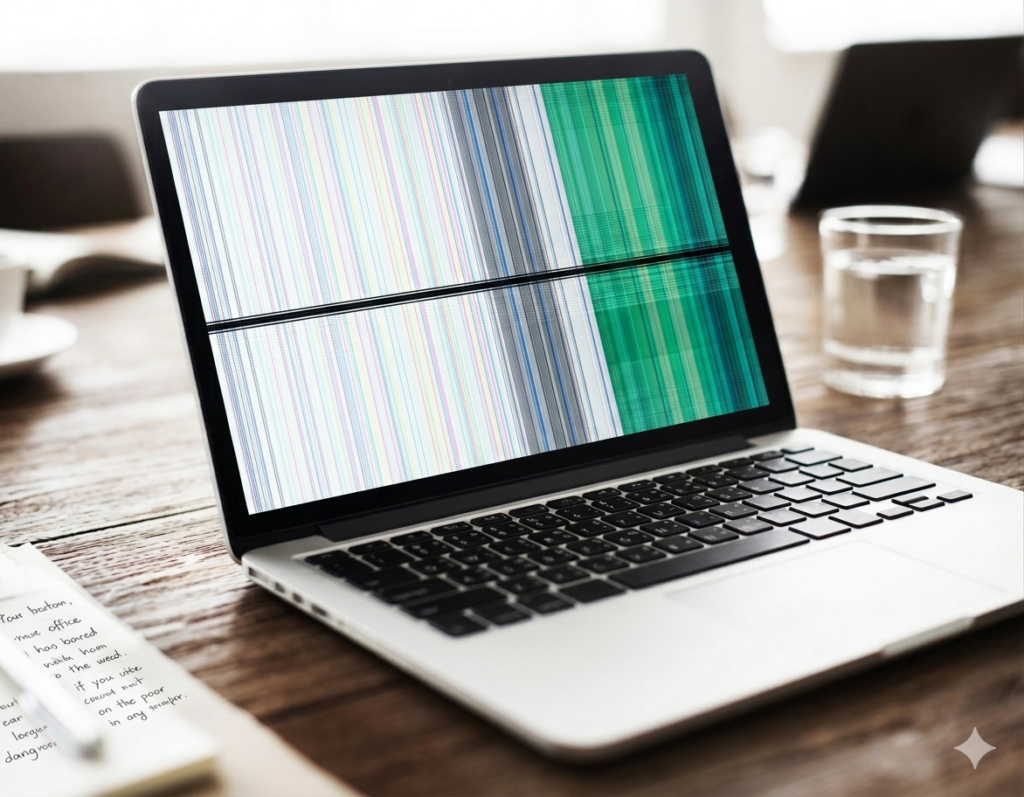
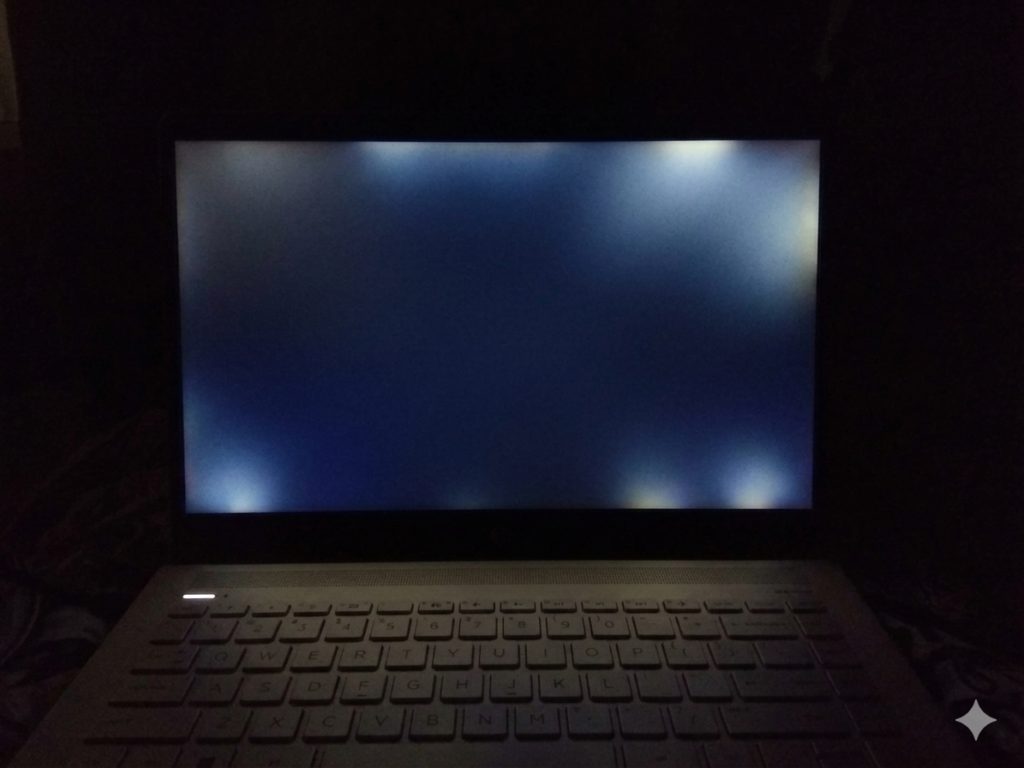
Screen bleeding is a common laptop display problem. It appears as uneven light coming from the edges or corners of the screen. You notice it more when the screen is dark or showing black backgrounds.
This issue can make your display look less clear and less sharp. It can also affect your viewing experience during movies, gaming, or normal work. Many laptop users face this problem, so it is not rare.
In this article , you will learn why screen bleeding happens, how to check it at home, and what real fixes you can try to reduce or solve it.
Understanding Screen Bleeding
Screen bleeding is a common laptop display issue where extra light leaks from the edges or corners of the screen. It becomes easier to notice when the display shows dark colors or black backgrounds.
The problem usually happens because of uneven pressure inside the screen or poor screen fitting. In most cases, it is related to the physical screen structure and not to software settings.
What Screen Bleeding Looks Like
- Bright corners on black screens
- Uneven light across the display
- Glow visible along screen edges
- Dark scenes look less clear
Why It Happens
- Factory fitting issues
- Pressure on the screen frame
- Laptop drops or rough handling
- Loose screen edges over time
- Tight laptop bags causing pressure
Is It Software or Hardware?
- It is a hardware problem
- Physical screen structure is affected
- Software updates cannot fix it
- Display settings do not solve the issue
- Hardware repair may be needed in severe cases
Easy Fixes You Can Try at Home
Screen bleeding can look annoying, especially while watching movies, editing photos, or using your laptop in a dark room. In many cases, small bleeding problems do not mean your laptop is completely damaged. . These methods are safe, easy, and beginner-friendly.
Lower Screen Brightness
High brightness levels make screen bleeding more noticeable. When the display becomes very bright, light leakage from the corners and edges stands out more clearly.
Lowering the brightness can reduce this effect and make the screen look more balanced, especially during night use.Many users notice that their screen looks much better after reducing brightness slightly.
Key Points :
- Lower brightness slowly and check results
- Best for dark rooms or night use
- Helps reduce visible corner glow
- Useful during movies or gaming
Change Screen Angle
Screen bleeding often changes depending on the angle you view the screen from. A display may look worse when viewed straight on but appear better after a small adjustment. Changing the screen angle can help reduce the visibility of bright spots and edge glow.
This method does not repair the screen, but it can make daily use more comfortable. It is especially helpful for laptops with mild bleeding problems.
Key Points:
- Tilt screen slightly forward or backward
- Test different viewing positions
- Use the angle with the least visible glow
- Helpful for work and video watching
Check Laptop Frame
Sometimes the screen frame puts uneven pressure on the display panel. This pressure can increase light leakage around the corners or edges. Carefully checking the laptop frame may help you find loose or uneven sections around the screen.If you notice a small gap or uneven area, you can gently adjust it.
Key Points:
- Inspect the edges around the display
- Check for uneven or loose areas
- Gently adjust frame if needed
- Stop immediately if screen reacts badly
⚠️ Tip: Never press hard on the display. Strong pressure can permanently damage the screen or create dead pixels.
Reduce Pressure on the Laptop
Many people accidentally increase screen bleeding by placing pressure on the laptop lid. Tight backpacks, heavy books, or careless handling can slowly affect the display over time. Protecting the laptop from extra pressure helps prevent the issue from becoming worse.
Good storage habits can also improve the overall life of your laptop screen.
Key Points:
- Use a soft padded laptop bag
- Keep heavy items away from the lid
- Avoid stacking objects on the laptop
- Carry the laptop carefully during travel
Try the Warm-Up Method
Some laptop displays look slightly better after running for a short time. As the screen warms up, the light may spread more evenly across the panel. This does not permanently fix screen bleeding, but it can reduce how noticeable it looks in some cases.
This method is simple and safe to test at home.
Key Points:
- Turn on laptop for 10–20 minutes
- Open a dark image or black background
- Observe corners and screen edges carefully
- Check if the glow becomes lighter or smaller
Advanced Fixes (Technical Solutions)
If simple home methods do not improve the problem, the screen may need professional repair. Advanced fixes focus on adjusting or replacing the physical display parts inside the laptop.
Screen Reseating
In some cases, the laptop screen is not properly aligned inside the frame. A technician can carefully open the laptop and reposition the display panel. This process is called screen reseating.
When the screen sits correctly, pressure becomes more balanced and light leakage may reduce. This method is often useful for mild or moderate screen bleeding problems.
Key Points:
- Technician opens the laptop safely
- Screen position is adjusted correctly
- Helps reduce uneven pressure
- Can improve mild bleeding issues
Fixing Frame Pressure
Sometimes the laptop frame presses too tightly against certain parts of the display. This uneven pressure can create bright spots or glowing edges. A technician can adjust the frame and balance the pressure around the screen.
This repair may reduce corner glow and improve overall screen appearance.
Key Points:
- Balances pressure around screen edges
- Reduces bright corners and edge glow
- Helps improve display uniformity
- Requires careful handling by technician
Screen Replacement
If screen bleeding is severe, repair methods may not fully solve the issue. In this situation, replacing the display becomes the best option. A new screen removes the damaged or defective panel completely.
This is the most permanent and effective solution for strong bleeding problems.
Key Points:
- Needed for severe screen bleeding
- Removes damaged display panel
- Gives the best long-term results
- Often used when glow spreads heavily
Example:
If the glow covers large corners or spreads across multiple edges of the screen, a full screen replacement may be necessary.
Prevention Tips
Handle Laptop Carefully
- Open the laptop lid slowly
- Avoid twisting or bending the screen
- Hold the laptop with both hands when moving it
- Keep the laptop on stable surfaces
Protect During Travel
- Use a padded laptop bag for safety
- Avoid pressure inside backpacks
- Do not place heavy books on the laptop
- Keep sharp objects away from the screen area
Keep Screen Safe
- Do not touch the screen too often
- Clean the display gently with a soft cloth
- Avoid pressing hard while cleaning
- Keep liquids away from the laptop screen
Common Mistakes to Avoid
- Pressing the screen to “fix” bleeding
- Ignoring glow that becomes worse over time
- Using sharp tools near screen edges
- Over-tightening the laptop frame
- Carrying the laptop carelessly in tight bags
- Cleaning the screen with too much pressure
Conclusion
Screen bleeding is a hardware issue that causes light to leak from screen edges or corners. Small fixes may reduce how visible it looks, but severe cases often need repair or screen replacement.
Start with simple methods first and check if the problem gets worse over time. If the bleeding becomes more noticeable, visit a technician for proper repair.
Is your laptop screen bleeding mild or severe right now?
FAQS
Can screen bleeding go away on its own?
No. It usually stays the same or changes slightly, but it does not fully go away without repair.
Is screen bleeding dangerous?
No. It is not harmful. It only affects how the screen looks.
Can software fix screen bleeding?
No. It is a hardware issue, so software cannot fix it.
How much does repair cost?
It depends on laptop model and damage level. Small fixes cost less, full screen replacement costs more.
Should I replace the screen?
Only if the bleeding is strong and affects your daily use.
Why is it more visible at night?
Dark screens make light leaks look brighter and more clear.
Can new laptops also have it?
Yes. Some new laptops also show small screen bleeding.
How do I know it is getting worse?
If the glow spreads or becomes brighter over time, it is getting worse.